API Channel
"API Channel" manages the integration, invocation, and reconciliation of external AI channels (OpenAI, Anthropic, Zhipu, etc.) from the platform procurement cost perspective. It helps platform operators understand the overall cost and quality performance of external channels, and configure procurement unit prices by channel/upstream model to align with upstream bills.
Entry path: Left sidebar Billing > API Channel, page route
/admin/billing/channel.
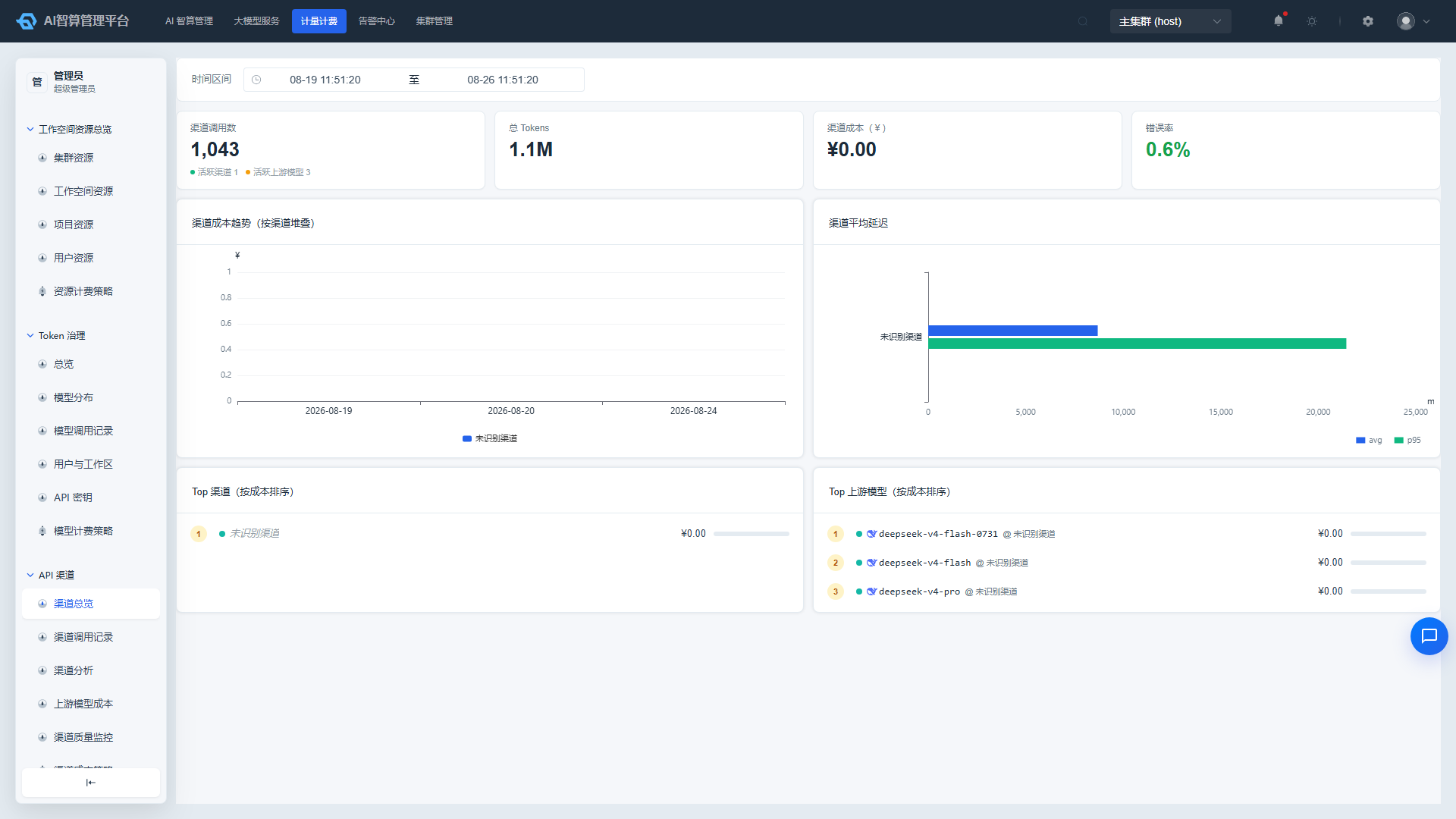
Page Menu
| Page | Route | Description |
|---|---|---|
| Channel Overview | /admin/billing/channel/overview | Cost KPIs, channel cost trends, Top rankings |
| Channel Call Records | /admin/billing/channel/calls | Individual external channel call details |
| Channel Analysis | /admin/billing/channel/channels | Aggregated comparison by channel |
| Upstream Model Cost | /admin/billing/channel/upstream-models | Aggregated by (channel × upstream model) |
| Channel Quality Monitoring | /admin/billing/channel/quality | Channel SLA: TPS, latency, error rate |
| Channel Cost Strategy | /admin/billing/channel/strategy | Configure channel/upstream model procurement unit prices |
Channel Overview: Understand External Costs First
- Navigate to API Channel > Channel Overview.
- Select a time range.
- Review the KPI cards:
- Request volume, Token consumption, channel cost, error rate
- Number of active channels, number of active models
- Time to First Token (TTFT): displayed alongside average latency; clicking it drills down to Channel Quality Monitoring to view the corresponding trend. Amount and Token values are formatted with thousands separators.
- Review the Daily × Channel cost stacked bar chart to understand daily spending per channel.
- Review the Average Latency and P95 Latency by Channel horizontal comparison chart, sorted by average latency descending.
- Review the Top 8 Channel Cost Ranking and Top 8 Upstream Model Cost Ranking:
- Upstream model names are suffixed with
@channel-nameto indicate the source. - Clicking a ranking entry drills down into channel call records with both channel and upstream model filters applied automatically.
- Upstream model names are suffixed with
It is recommended to review the overview at the beginning of each week to quickly identify channels or models with sudden cost spikes.
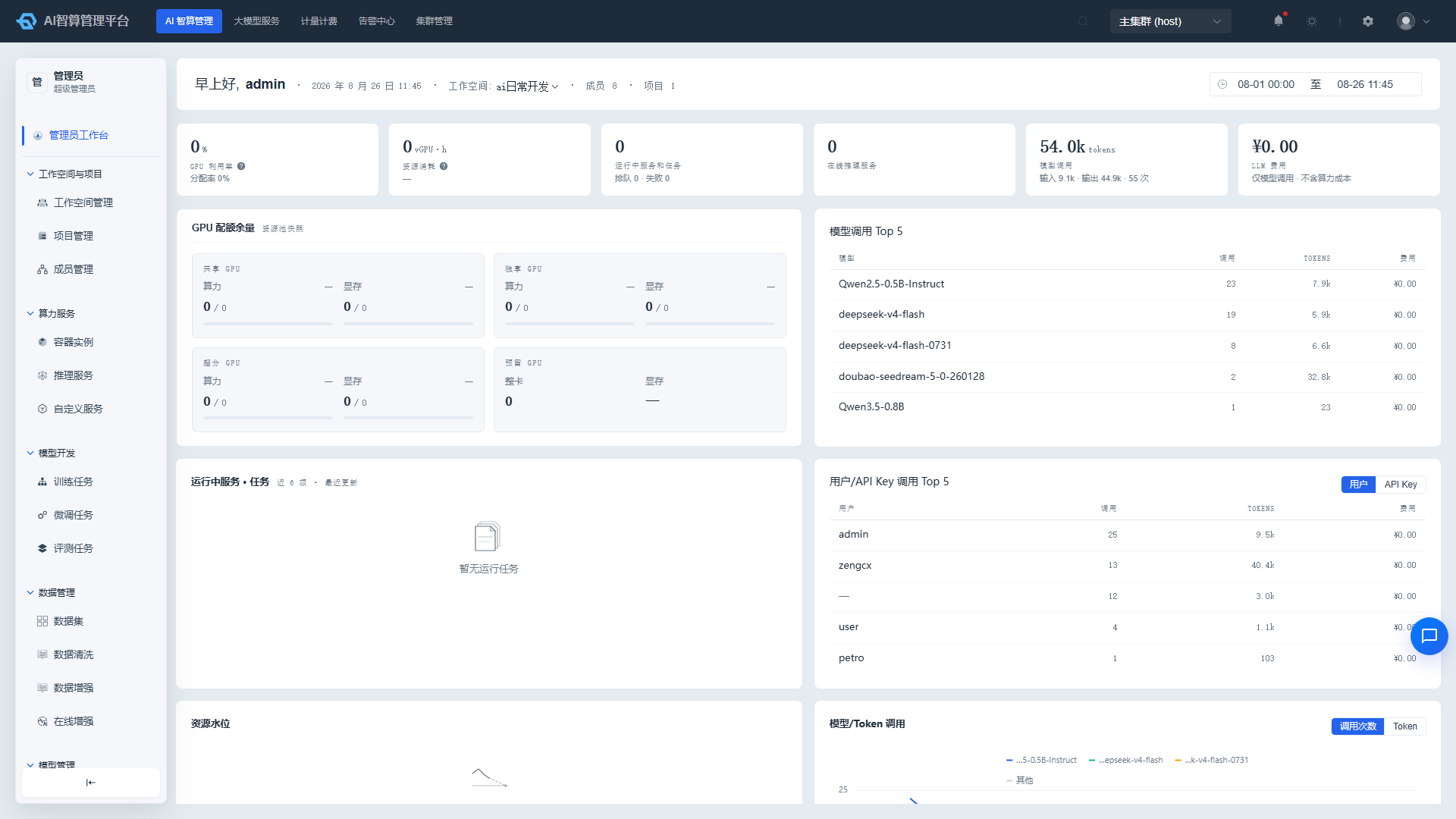
Channel Call Records: Reconcile with Upstream Bills Line by Line
- Navigate to API Channel > Channel Call Records.
- The top of the page displays a statistical overview: matched entries, total Tokens, error count, average/P95 latency.
- Use the search area to filter by time, API channel, call model, upstream model, user, workspace, status code, etc.
- The list displays each call's: timestamp, status code, API channel, call model, upstream model, user, workspace, masked API Key, total Tokens, user bill, channel cost, total duration, time to first token.
- Click a row or "View" to open the call details:
- Caller: Tenant / User / API Key.
- Request timeline: Client → Gateway → Upstream → Completion, with failed steps highlighted in red and error categories displayed.
- Basic information: Request ID, status code, call model, upstream model, API channel, AI route, source IP, Envoy status, etc.; key fields are copyable.
- User bill and channel cost: Per-Token five-segment or per-call billing details, multi-currency conversion, reconciliation verification, pricing timestamp.
- Token usage: Input / Output / Cache / Cache write 5m / 1h / Reasoning.
- Performance metrics: Total duration, time to first token, time to first byte.
- Input/Output original content.
Channel call records default to showing only
source_type=customcalls, intended for reconciliation with upstream bills.
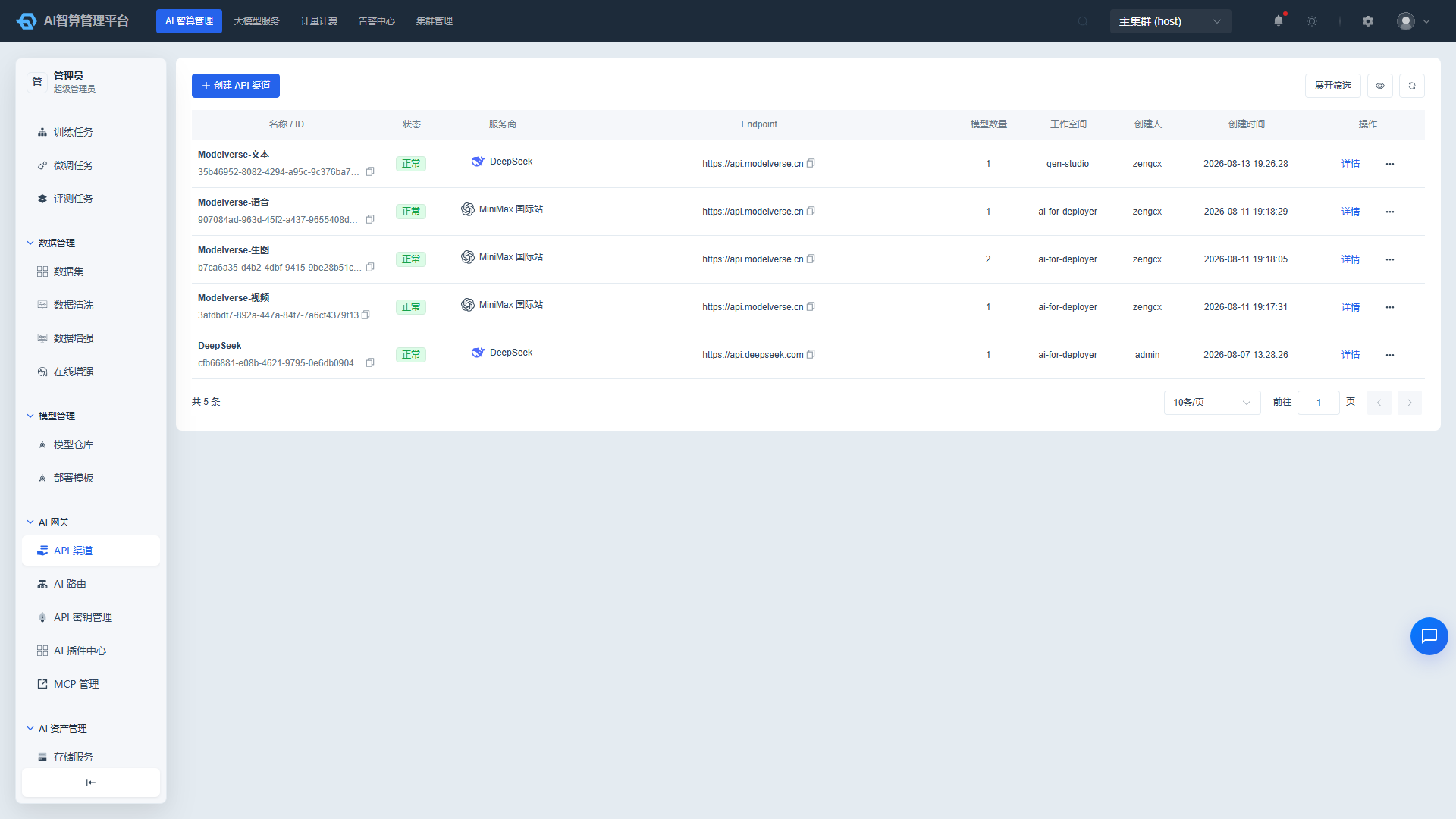
Channel Analysis: Cross-Channel Comparison
- Navigate to API Channel > Channel Analysis.
- Select a time range.
- The page displays:
- Total channels, total Tokens, channel cost, average latency, error rate.
- Call volume distribution chart and channel cost distribution chart.
- Channel aggregation table: channel name, call count, total Tokens, channel cost, average latency, error rate.
- Average latency and error rate are color-coded by threshold, making degraded channels immediately identifiable.
- Click "View" in the row actions to drill down into that channel's call records.
- Supports sorting, CSV export, and column visibility toggling.
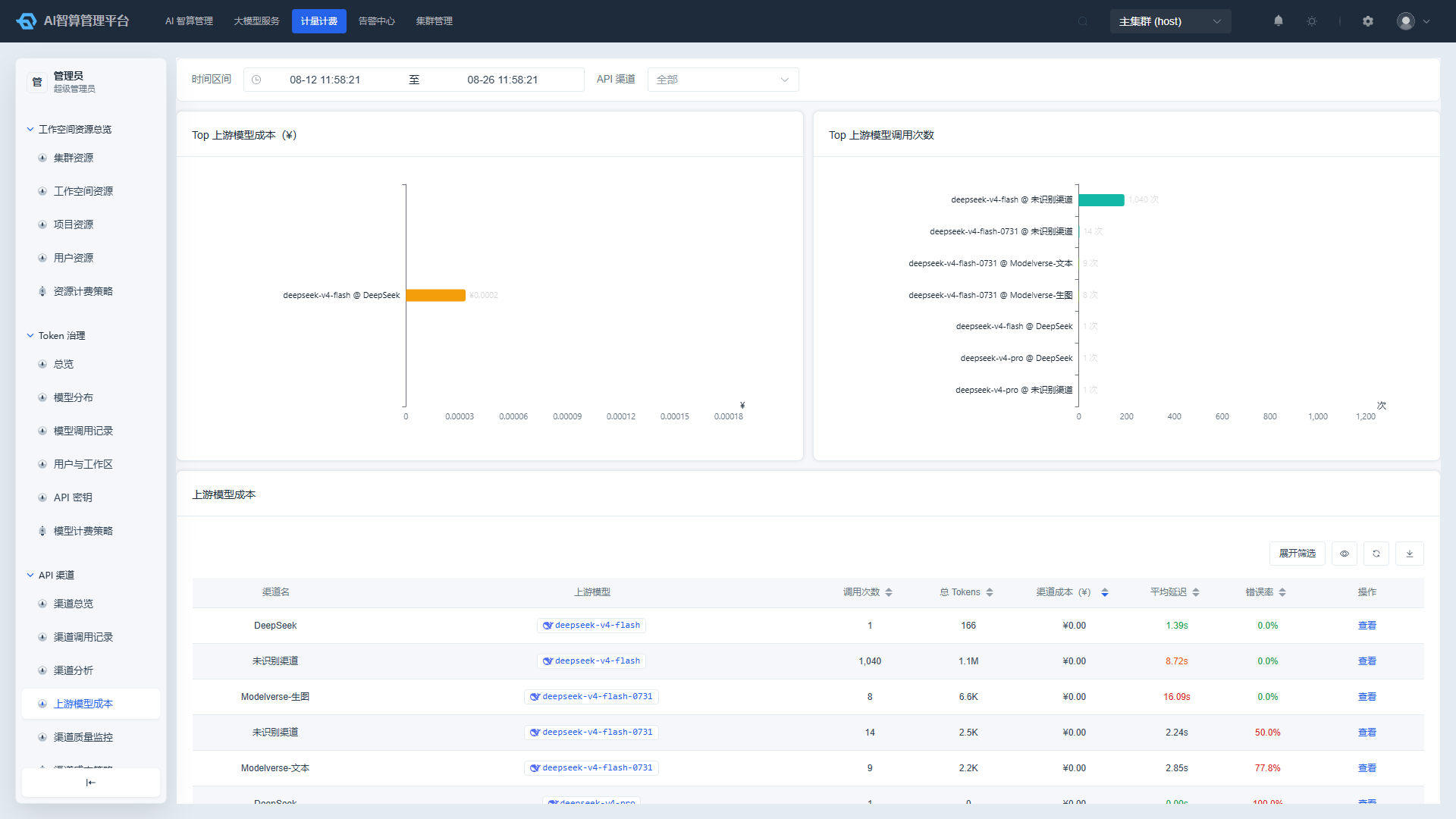
Upstream Model Cost: Granular to Individual Models
- Navigate to API Channel > Upstream Model Cost.
- Select a time range and optionally filter by specific API channel at the top.
- The page displays:
- Upstream Model Cost Top 10 horizontal bar chart.
- Call Count Top 10 horizontal bar chart.
- Aggregation table: channel name, upstream model, call count, total Tokens, channel cost, average latency, error rate.
- Enter keywords in the upstream model search box to quickly locate target models.
- Click "View" in the row actions to drill down into that channel + upstream model's call records.
Channel Quality Monitoring: Keep Track of Channel SLA
- Navigate to API Channel > Channel Quality Monitoring.
- Select a time range.
- Review the charts:
- Average / P95 / P99 latency triple-column comparison by channel.
- Error rate horizontal bar chart.
- Latency trend and error rate trend (expanded by date × channel).
- TTFT trend: time-to-first-token trend over time, expanded by date × channel, for observing response speed changes across channels.
- Review the quality detail table:
- Channel name, TPS (tok/s)
- Average latency, P95 latency, P99 latency
- Time to first token (TTFT), TTFT P95
- Error rate, streaming request ratio
- Latency and error rate columns are color-coded by threshold for quick identification of SLA-degraded channels.
- Click "Details" to navigate to that channel's call records.
A higher streaming request ratio generally indicates better support for real-time interactive scenarios.
Channel Cost Strategy: Configure Procurement Prices
Channel cost strategy is used to configure external procurement unit prices by (API channel × upstream model), serving as the foundation for API channel cost accounting.
Create a Channel Cost Rule
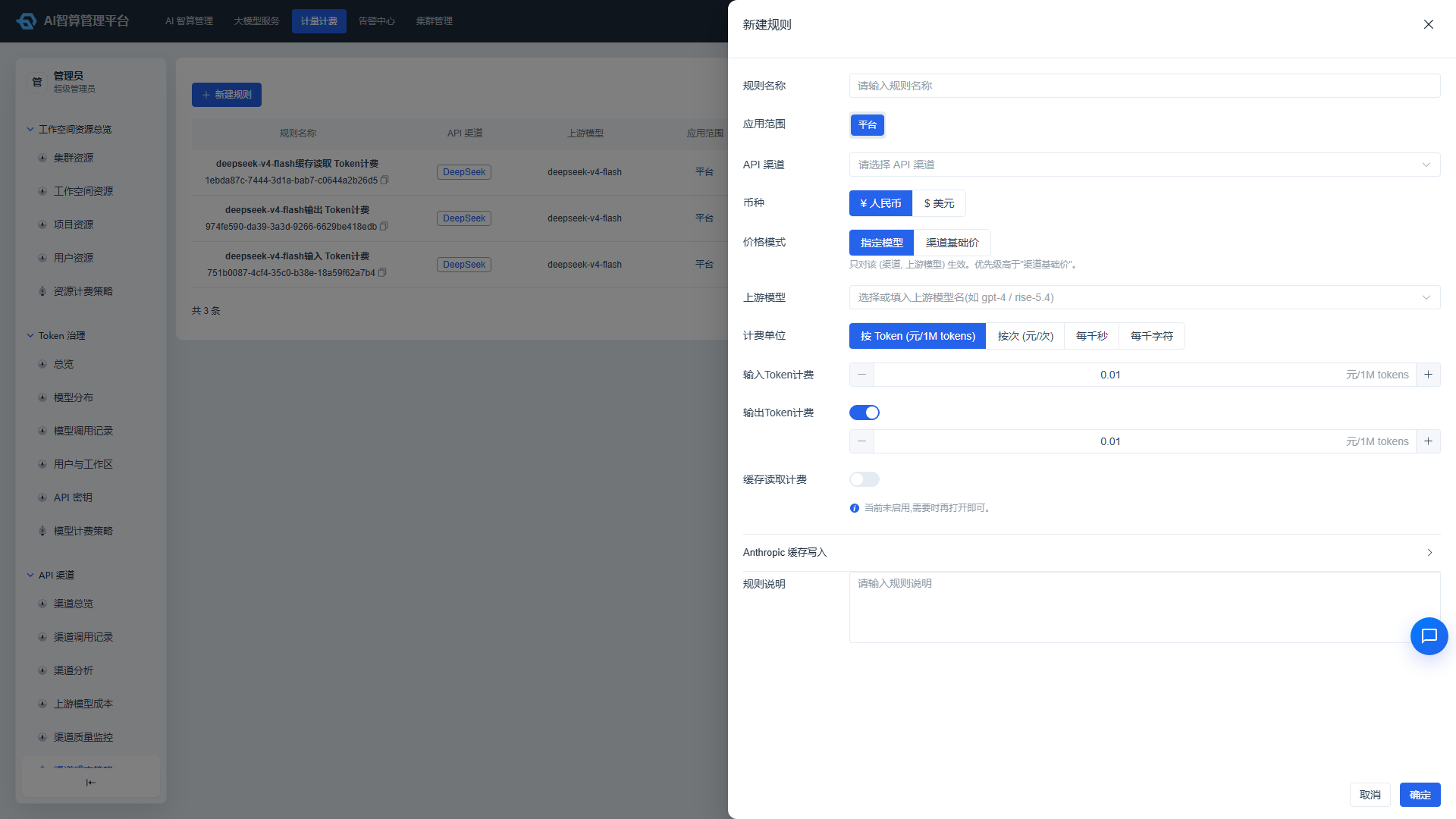
- Navigate to API Channel > Channel Cost Strategy.
- Click "New Rule".
- Enter a Rule Name.
- Select the Application Scope (platform-level; typically only platform-level is available when creating).
- Select an API Channel.
- Select a Currency:
CNYorUSD. - Select a Price Mode:
- Model-Specific Price: Applies only to selected upstream models with higher priority.
- Channel Base Price: Applies to all upstream models under this channel that do not have a specific price configured.
- Select Upstream Models (only required in "Model-Specific Price" mode).
- Select a Billing Unit:
- Per Token (CNY/1M tokens): For text-based models.
- Per Call (CNY/call): For image/audio/video models.
- Per Thousand Seconds / Per Thousand Characters: For speech and similar scenarios.
- Fill in the price:
- Per Token mode: Input Token unit price is required; output, cache read, and Anthropic cache write 5-minute/1-hour prices can be enabled via toggles.
- Per Call / Per Thousand Seconds / Per Thousand Characters mode: Enter a single unit price.
- Tiered Price Table (Per Call mode only): Set different tiered prices based on model protocol parameters.
- Enter a Rule Description.
- Click "Confirm" to save.
Channel base price applies to all upstream models without a specific configuration; model-specific price has higher priority and is commonly used to override the actual procurement price for popular models.
Edit, Delete, and View Revision History
- Locate the target rule in the rule list.
- Row actions:
- Edit: Modify the rule name, price, and description; channel, currency, price mode, and model cannot be changed after creation — create a new rule if adjustments are needed.
- History: View the price revision timeline, including operator, operation type, and price change indicators.
- Delete: Requires confirmation before deletion.
- The list supports filtering by rule name, API channel, and upstream model, with pagination, refresh, and column visibility options.
FAQ
Q: What is the difference between channel cost and user bill? A: Channel cost is the procurement cost paid by the platform to upstream suppliers; user bill is the fee users pay to the platform when invoking models. The two use different accounting bases, serving reconciliation and billing purposes respectively.
Q: Why do some calls in channel call records show no channel cost? A: The channel cost strategy for that upstream model may not be configured yet, or the backend may still be processing the calculation.
Q: How do I configure multi-currency scenarios? A: Select USD when creating a channel cost rule; subsequent costs for that rule will be recorded in US dollars. The currency indicator will be displayed in both the list and detail views.
Q: What models are suited for Per Thousand Seconds / Per Thousand Characters pricing? A: Per Thousand Seconds typically corresponds to ASR (speech-to-text) endpoints, while Per Thousand Characters typically corresponds to TTS (text-to-speech) endpoints; refer to the actual endpoint used by the model for specifics.
Q: Why can't I see private model calls in channel call records? A: Channel call records default to showing only source_type=custom (external channel) calls. For private model calls, navigate to Billing > Token Governance.