ModelX Service
Console: User Interface (AI Development Platform)
Page Route:/admin/model-x
Primary Users: AI engineers, AI application developers
The ModelX Service is designed for end users, providing model discovery, online playground, API calling, and personal usage tracking. You can browse models listed on the Model Marketplace, quickly test model performance through the Playground, and create personal API keys for business integration.
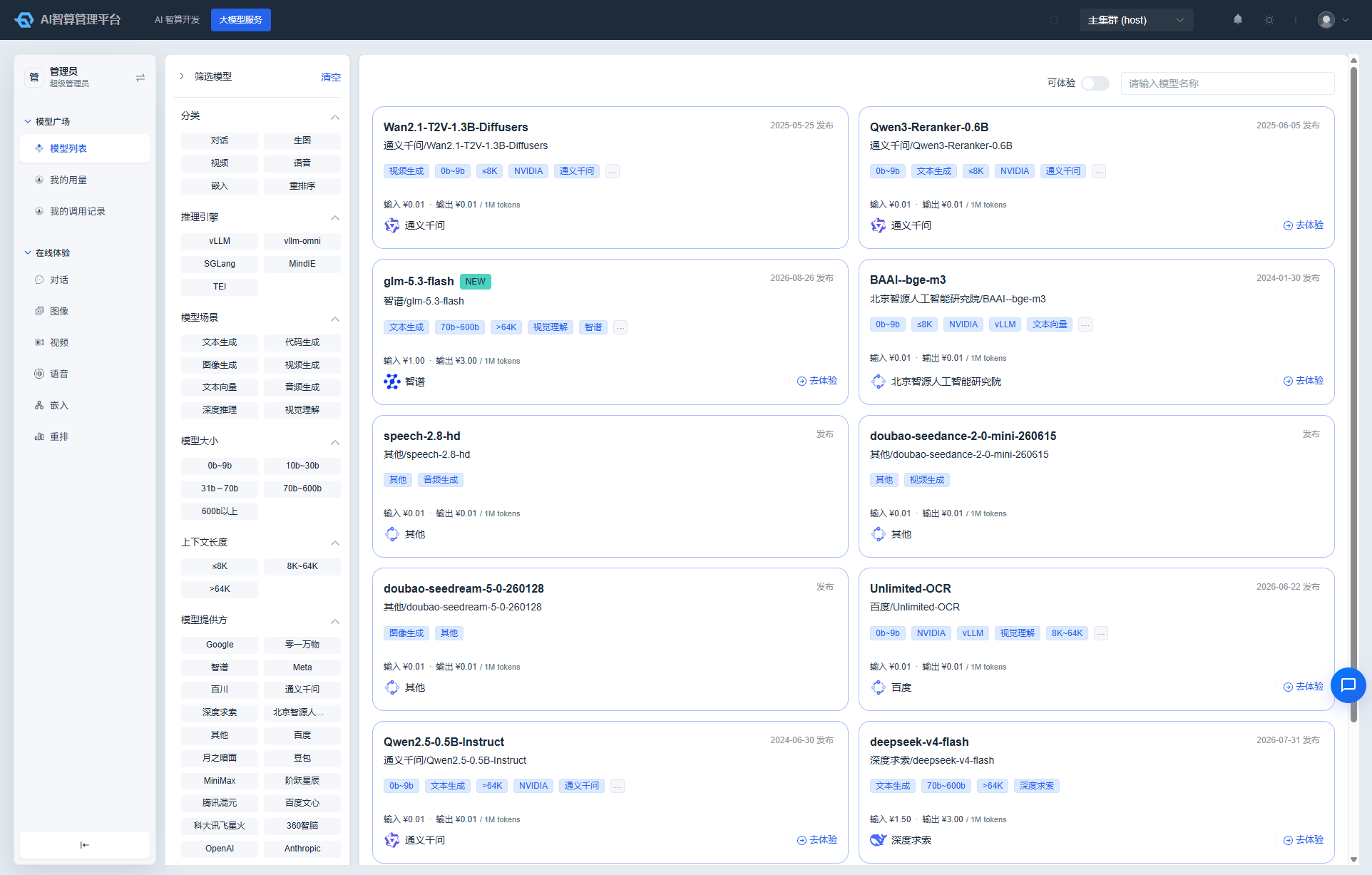
What Can I Do
| Role | Primary Use |
|---|---|
| AI Engineer | Discover models on the Model Marketplace, run side-by-side online comparisons, obtain inference APIs |
| AI Application Developer | Call models via API keys, track personal usage and costs |
Core Capabilities
- Model Marketplace: Browse platform-listed models, filter by category, tag, and price, view model details and deployment status.
- Online Playground: Single-model / dual-model comparison for chat, image generation, voice, embedding, rerank, and more.
- My Call Records: Query request summaries and response statuses for each model call.
- My Usage: View personal token usage, cost trends, and model call distribution.
Submenu Overview
| Submodule | Document | Description |
|---|---|---|
| Model Marketplace | Model Marketplace | Browse / filter / deploy models, view pricing and performance references |
| Online Playground | Online Playground | Single-model / dual-model comparison chat, image generation, voice, embedding, rerank, and more |
| My Call Records | My Calls & Usage | Personal model call record queries |
| My Usage | My Calls & Usage | Personal token usage and cost statistics |
Typical Workflow
- Go to Model Marketplace and filter target models by category, tag, and price.
- Click "Try Now" to navigate to Online Playground and test model performance.
- To integrate into your application, create an API key under User Center > Account Security > API Keys.
- Review call details and costs in My Call Records and My Usage.
Model listing, pricing, external channel integration, and routing policies are configured by administrators under Admin Console > AI Infrastructure Management > Model Management / AI Gateway.