Storage
Storage provides operations engineers with visual management of PersistentVolumeClaims (PVC), PersistentVolumes (PV), and StorageClasses, supporting status viewing, YAML editing, change history comparison, and rollback.
Access path: Left sidebar K8s Cluster Management > Storage.
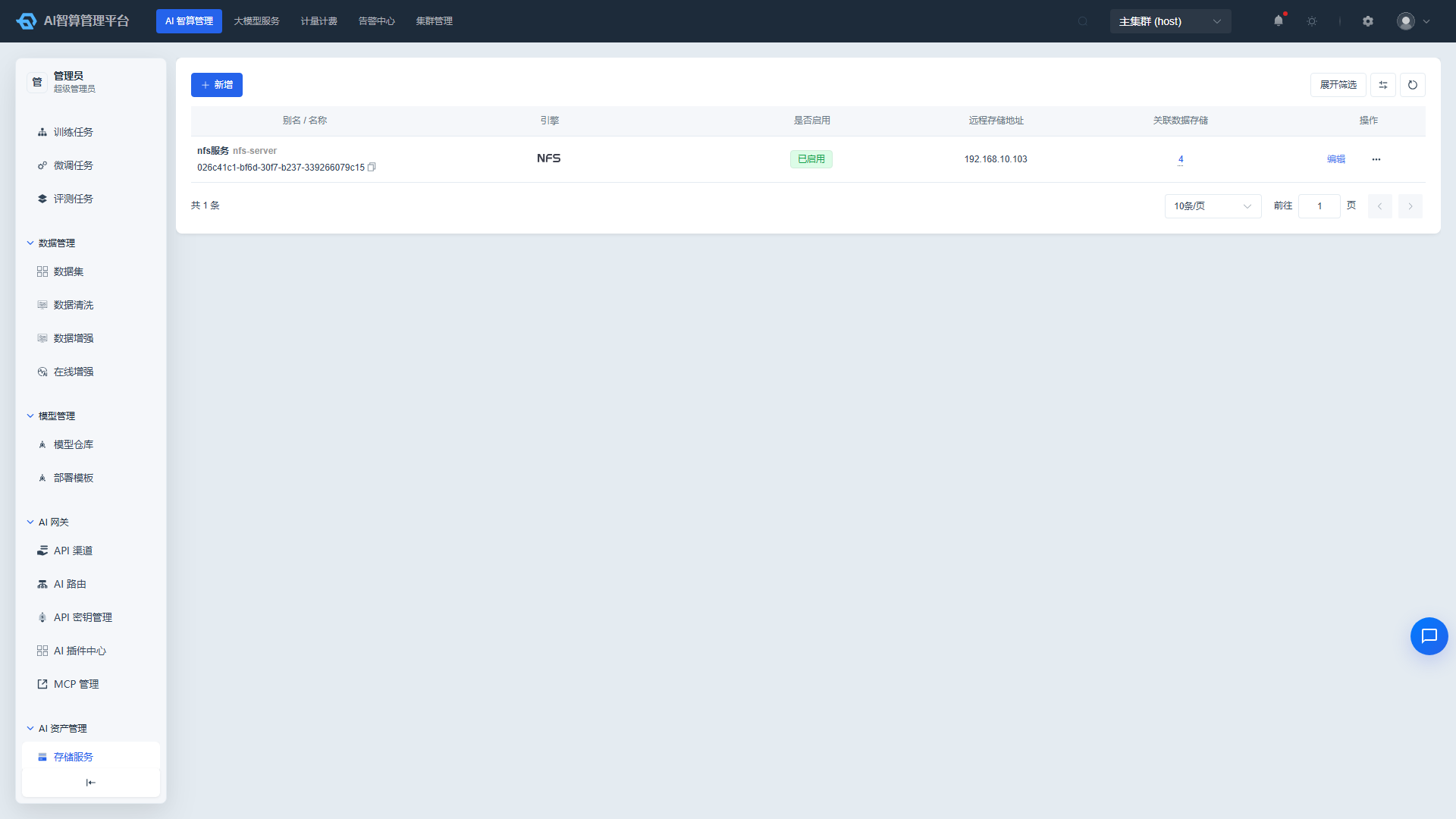
PersistentVolumeClaim (PVC)
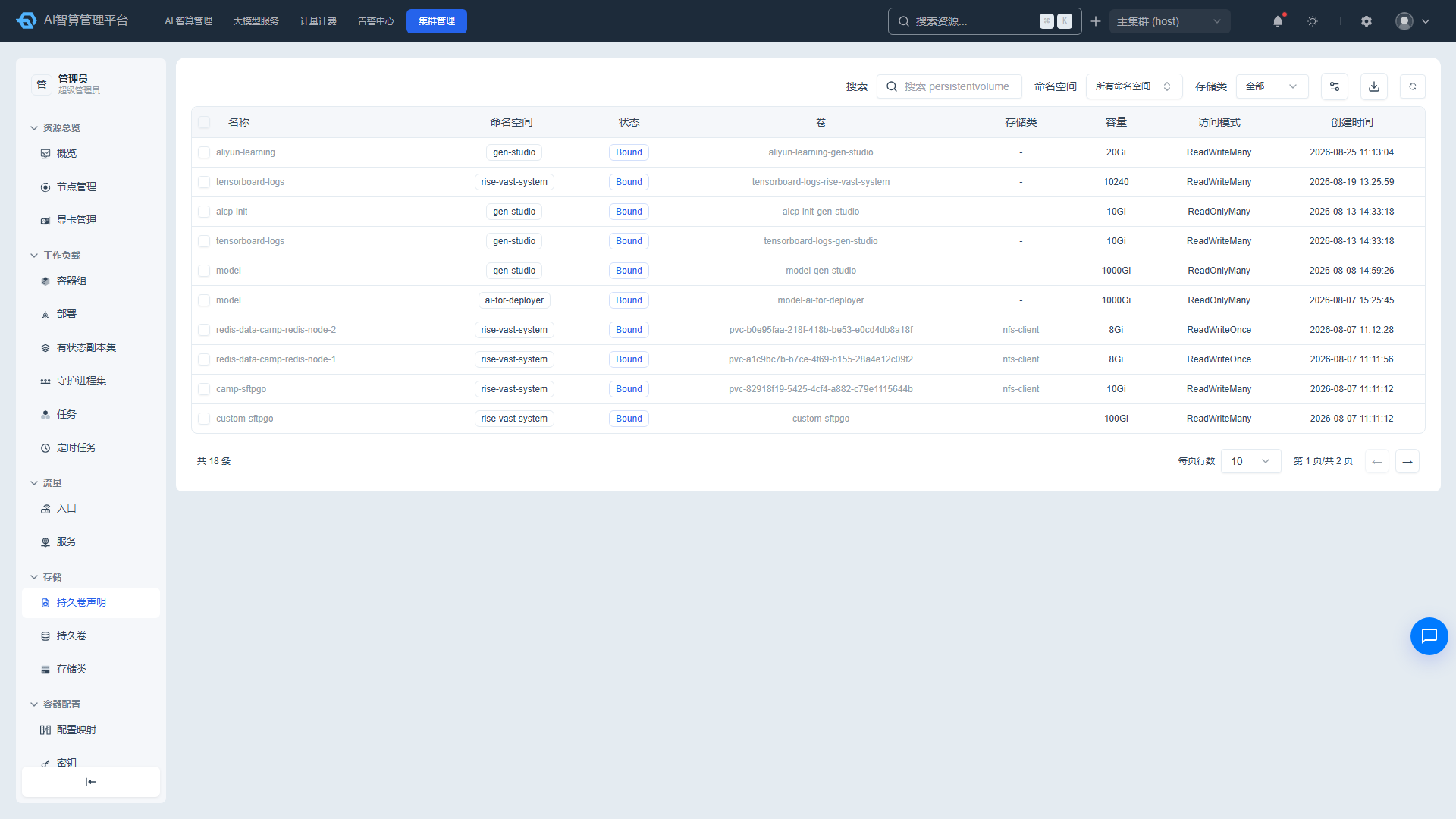
Viewing the PVC List
- Navigate to K8s Cluster Management > Storage > PersistentVolumeClaim.
- The list displays: name, status, volume, storage class, capacity, access mode, and creation time.
- Use the top search box to search by name, namespace, volume name, storage class, and status keywords.
PVC Details
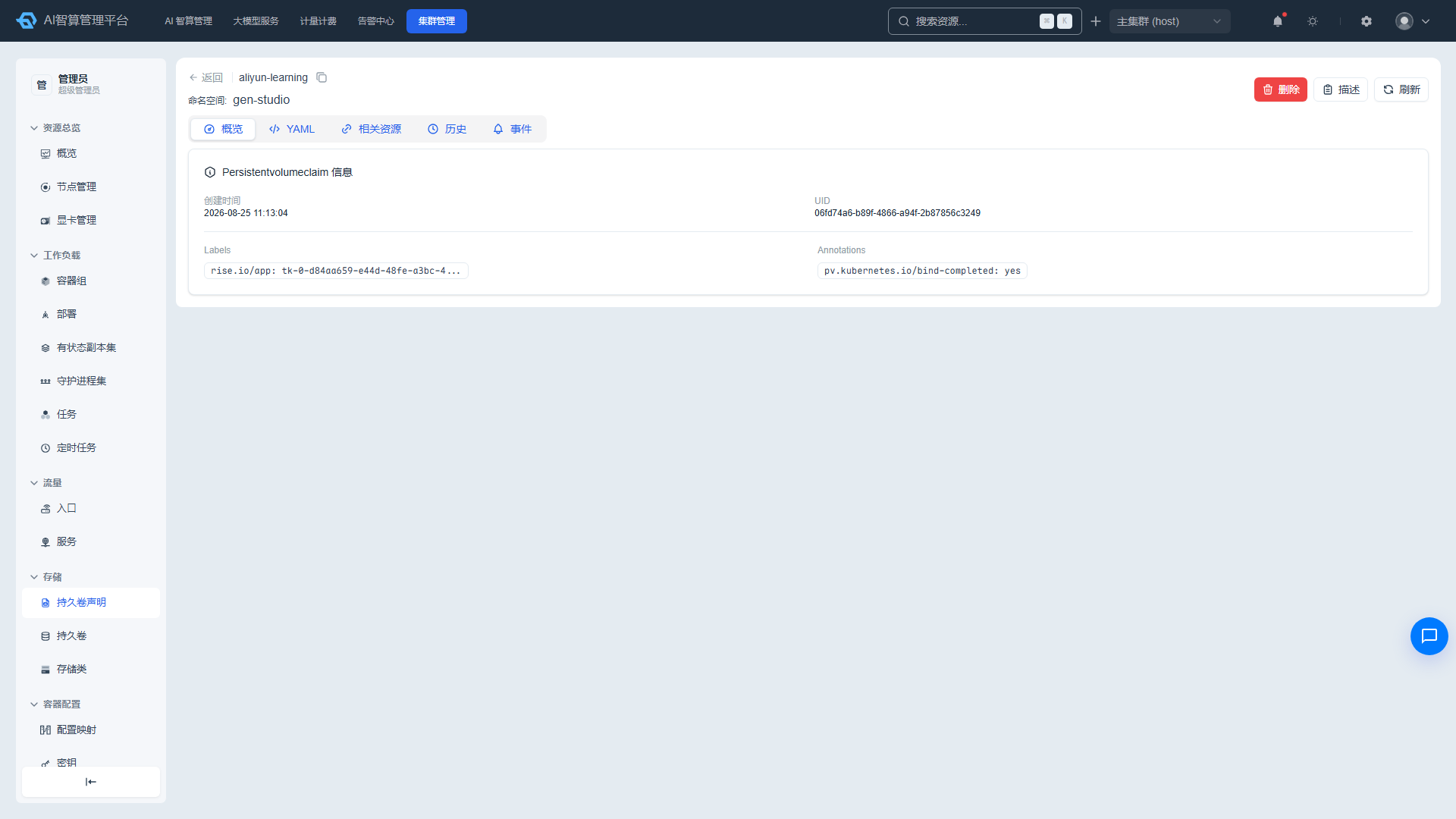
- Click a PVC name to enter the detail page.
- Overview: creation time, UID, owner links, labels/annotations.
- YAML: edit online and save.
- Related Resources: associated PV, Pod, and more; click to navigate.
- History: change records with YAML diff comparison, error detail viewing, and rollback support.
- Events: related K8s events.
Managing PVCs
- Click "Delete" in the list row or detail page, enter the name to confirm.
- Select multiple rows and click "Batch Delete."
- Click "Describe" to view
kubectl describe pvcoutput. - Supports CSV export and manual refresh.
PersistentVolume (PV)
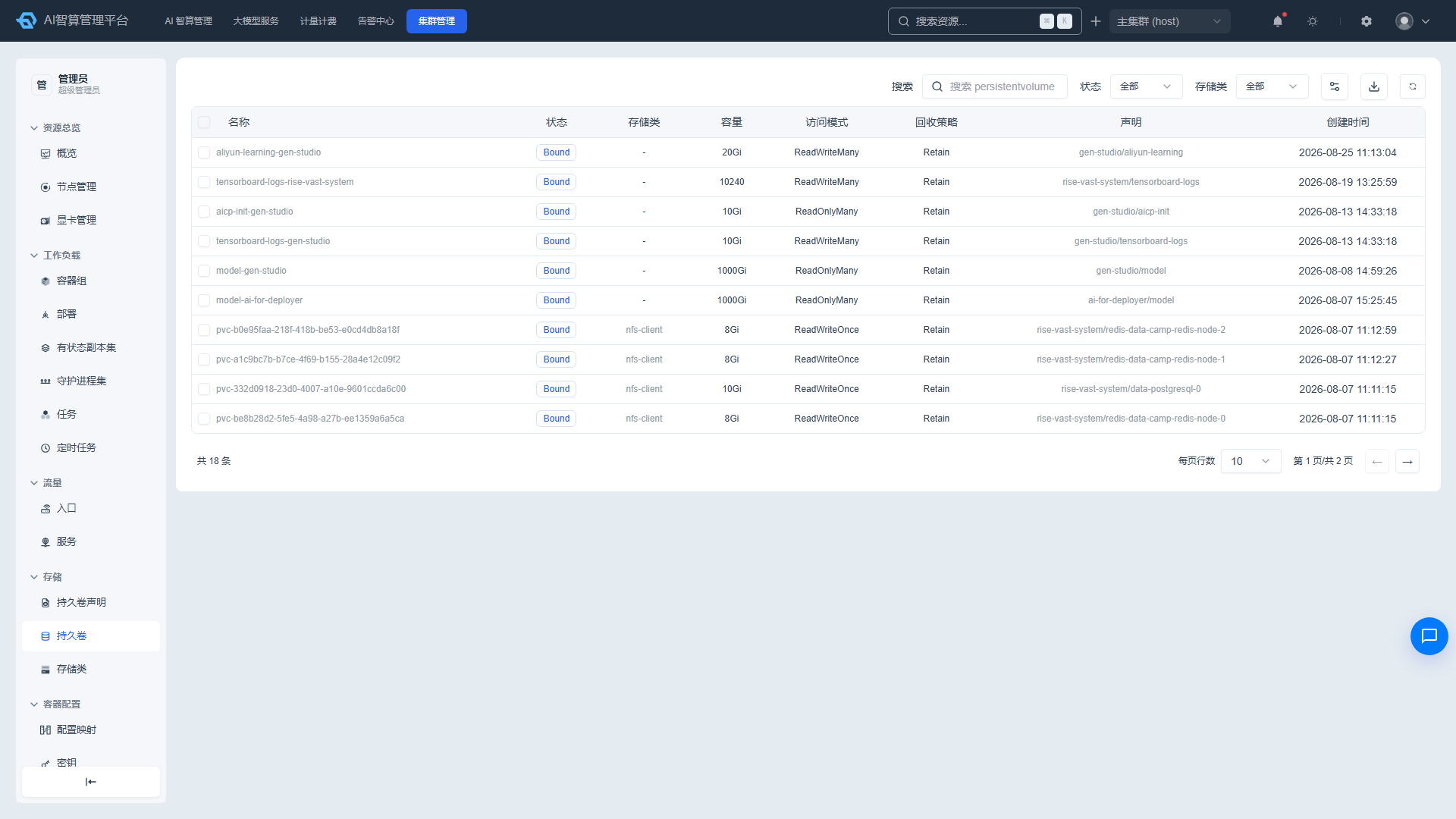
Viewing the PV List
- Navigate to K8s Cluster Management > Storage > PersistentVolume.
- The list displays: name, status (Bound/Available/Released/Failed), storage class, capacity, access mode, reclaim policy, claim, and creation time.
- Use the search box to search by name, storage class, status, and claim name/namespace keywords; both the status and storage class columns support dropdown filtering.
Managing PVs
Select multiple rows and click "Batch Delete," enter the name to confirm, with an option to force delete.
Click a PV name to enter the detail page:
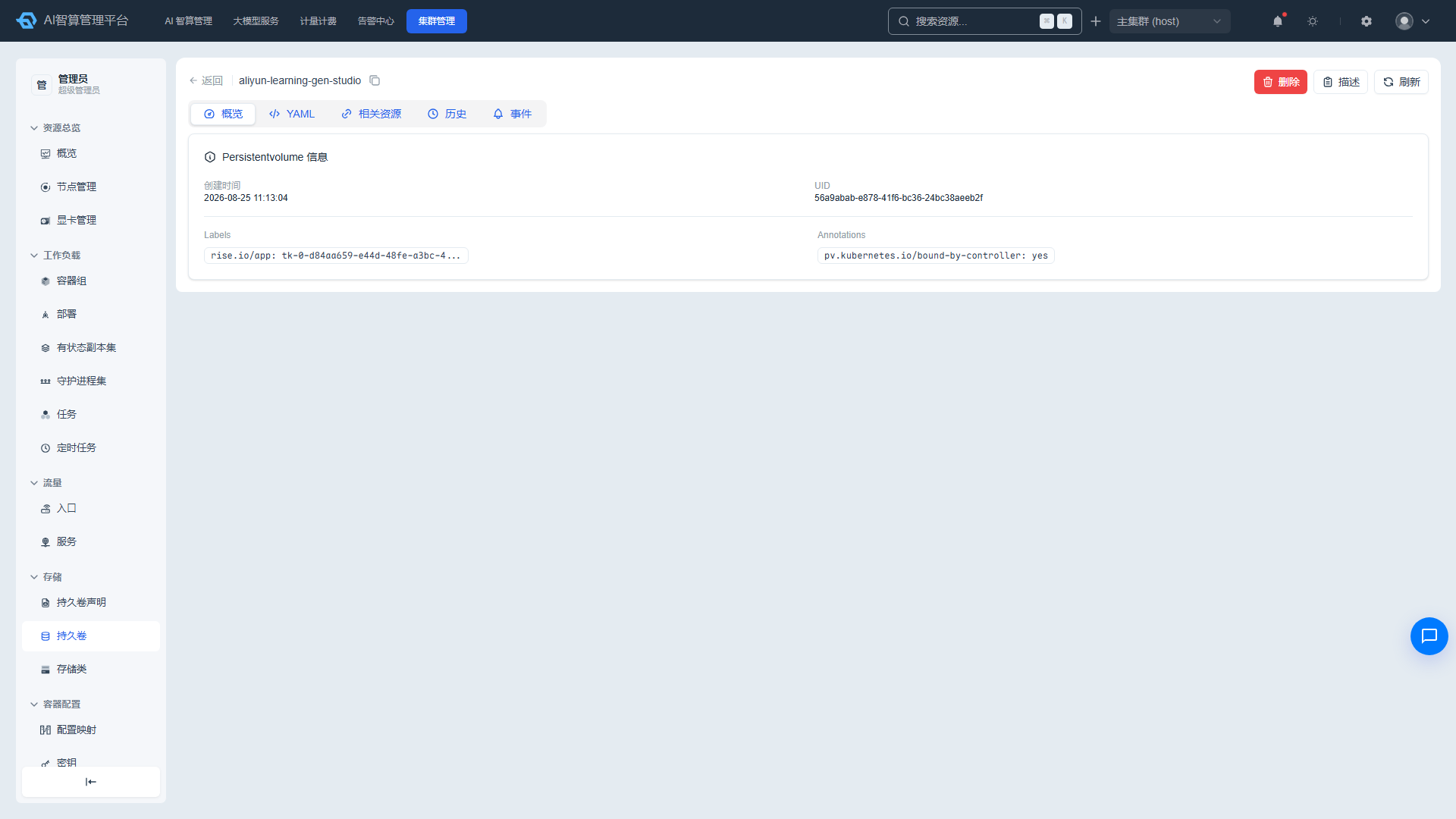
- Overview: creation time, UID, owner links, labels/annotations.
- YAML: edit online and save.
- Related Resources: associated PVC, Pod, and more.
- History: YAML diff comparison, error details, and rollback.
- Events: related K8s events.
The detail page provides delete, Describe modal, and manual refresh.
StorageClass
Viewing the StorageClass List
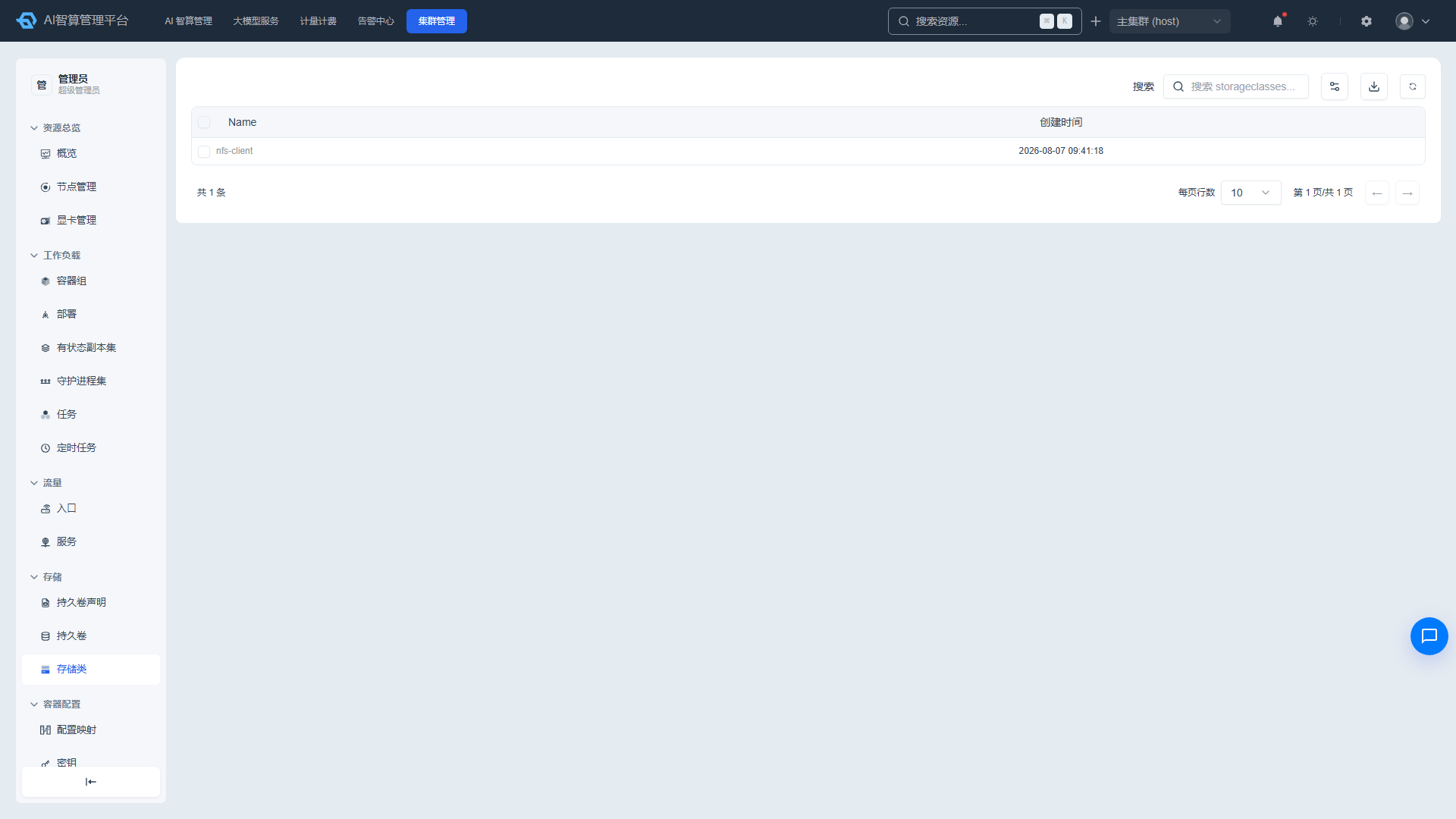
- Navigate to K8s Cluster Management > Storage > StorageClass.
- The list displays: name and creation time.
- Supports delete, batch delete, CSV export, Describe modal, and manual refresh.
StorageClass Details
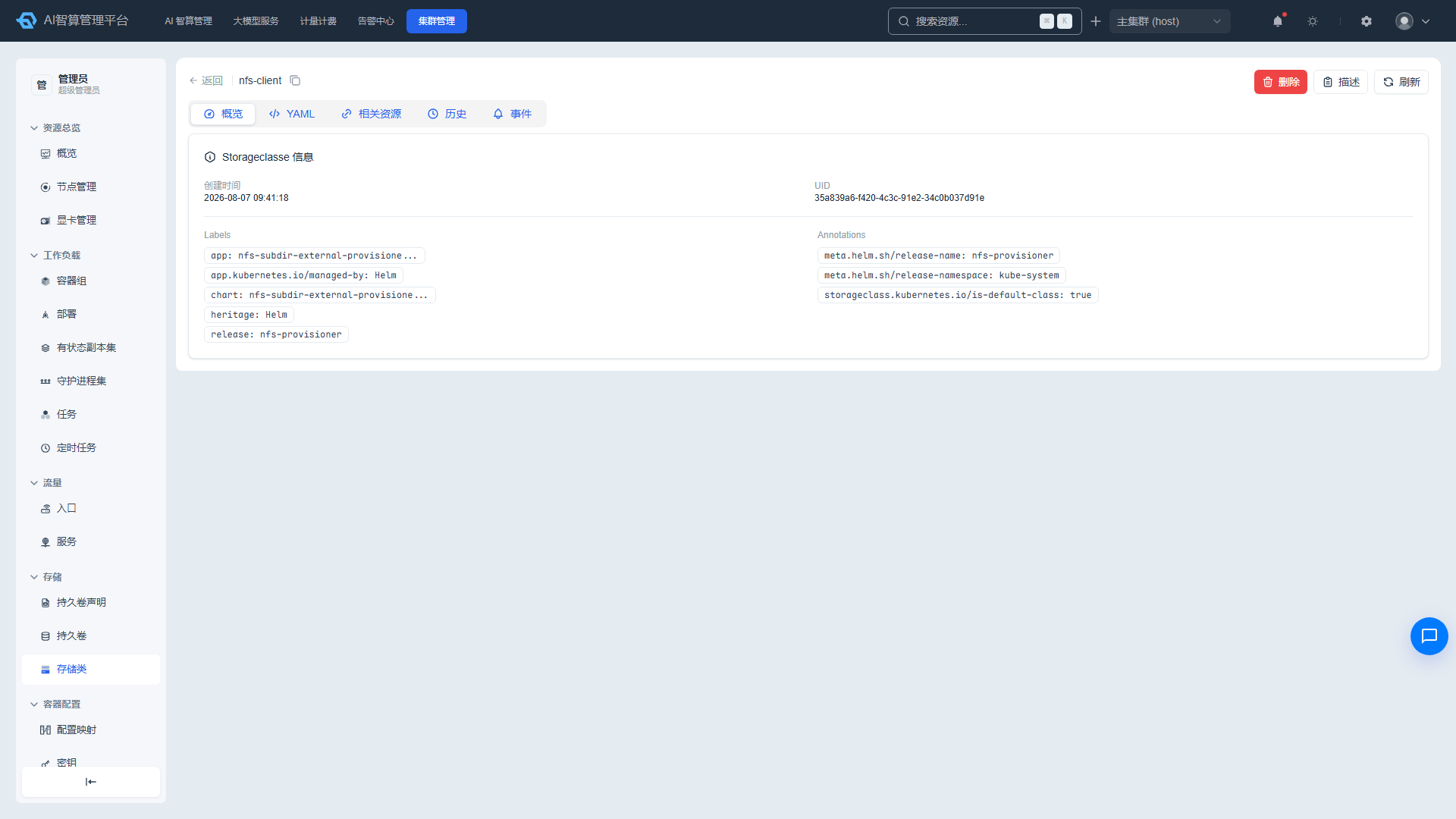
- Click a name to enter the detail page.
- Overview: creation time, UID, owner links, labels/annotations.
- YAML: edit online and save.
- Related Resources: associated PV/PVC.
- History: change records and rollback.
- Events: related K8s events.
FAQ
Q: PVC status remains Pending? A: Check whether there is an available PV or dynamic StorageClass. If using a static PV, confirm that the PV's capacity, access mode, and reclaim policy match the PVC.
Q: Deleting a PV prompts that there is an associated PVC? A: First delete the PVC bound to that PV, or ensure the PVC has been Released and the reclaim policy is Retain/Delete before deleting the PV.
Q: Can StorageClass be modified online? A: Some fields of a StorageClass (e.g., parameters) can be modified via YAML editing, but core fields (e.g., provisioner) are typically not modifiable. Verify the impact before making changes.