Logs & Messages
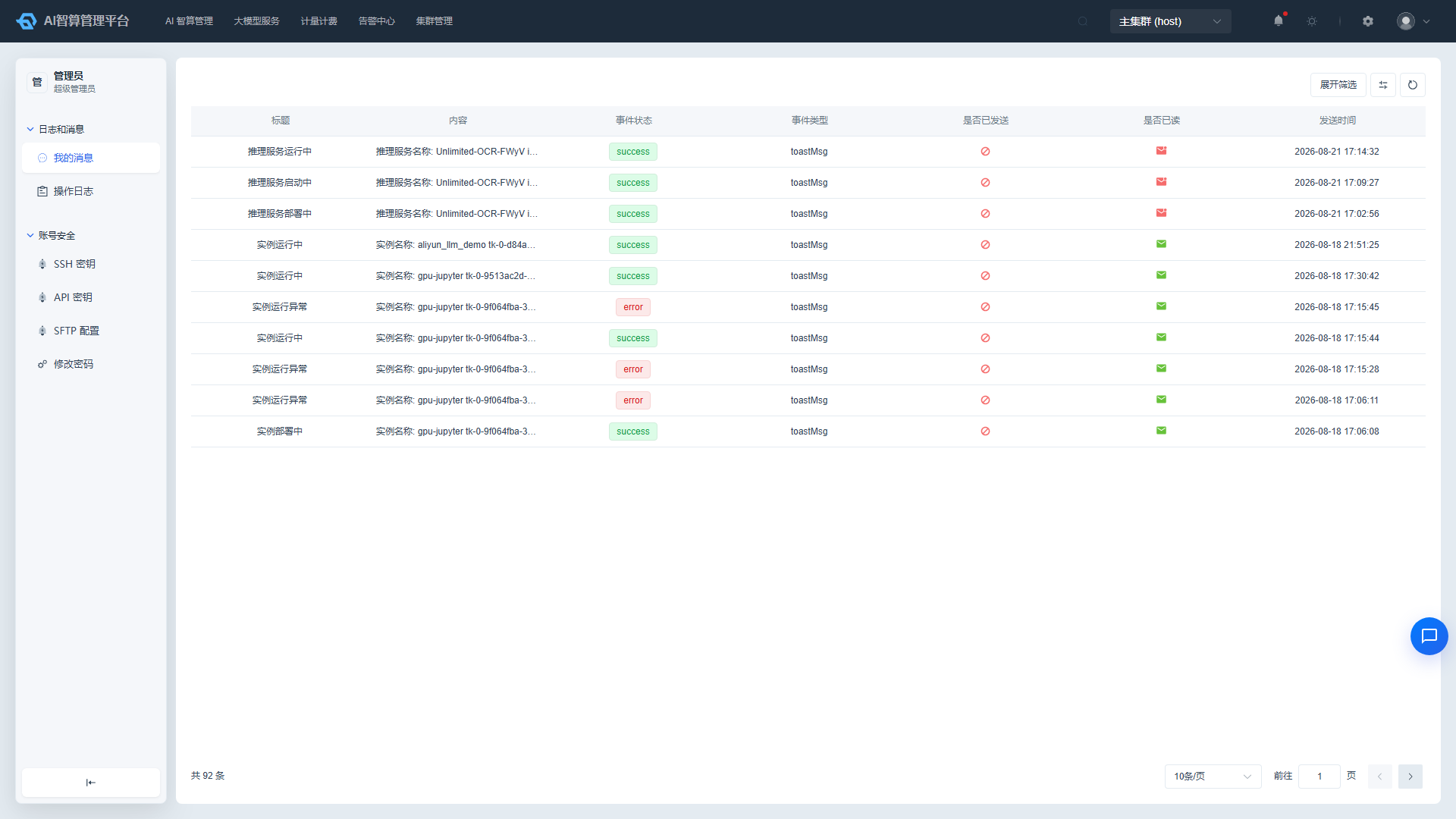
"Logs & Messages" is designed for end users to view system message notifications and personal login and operation logs for individual audit purposes.
Entry path: Left sidebar menu User Center > Logs & Messages, page route
/admin/user-center/index.
Page Menu
| Page | Route | Description |
|---|---|---|
| My Messages | /admin/user-center/message-center | Personal message notification list |
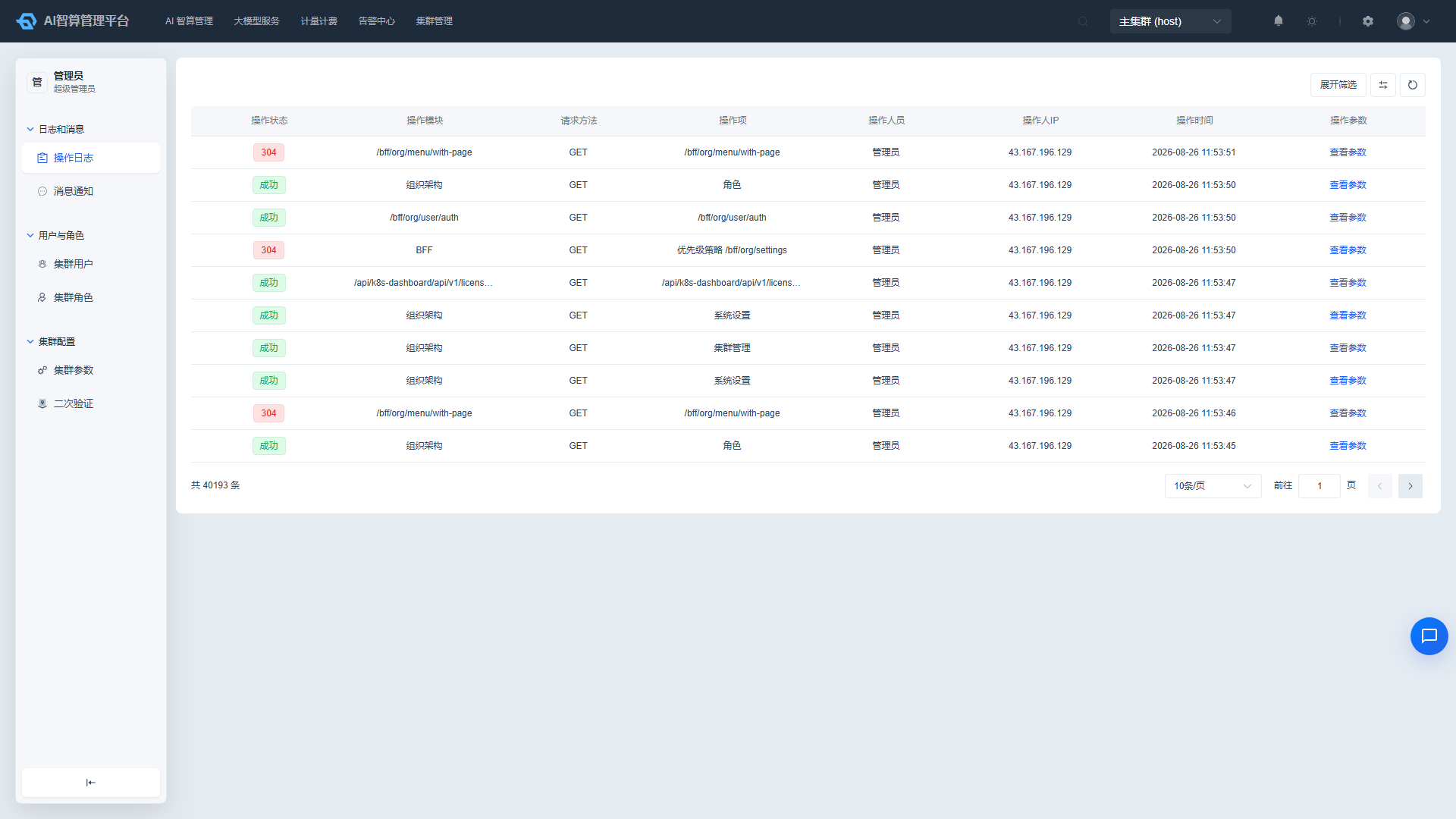
| Operation Logs | /admin/user-center/user-logs | Personal login and operation logs |
My Messages
View Messages
- Navigate to User Center > Logs & Messages > My Messages.
- The list displays: title, content (supports hyperlink navigation), event status, event type, sent status, read status, send time.
- Use the top filter bar to search by title, content, event status, event type, sent status, and read status.
- Unread messages are marked with an unread indicator before the title.
Mark as Read
- Click a message to enter its details; the system will automatically mark it as read.
- Alternatively, select multiple messages in the list and click "Mark as Read".
Operation Logs
View Personal Operation Logs
- Navigate to User Center > Logs & Messages > Operation Logs.
- The list displays: operation status (Success / Network Error / Access Denied / Invalid Account / Login Expired / Unauthorized Operation, etc.), operation module (Organization Structure / System Settings / AI Computing Service / Monitoring Service, etc.), request method, operation item, operator IP, operation time, operation parameters.
- Use the top filter bar to search by operation time range, operation module, operation item, and operator IP.
View Operation Parameters
- Click "View Parameters" in the list row.
- A modal displays the operation parameters in JSON with syntax highlighting.
- Click "Copy" to copy the parameter content with one click.
FAQ
Q: Why do some message contents appear as links? A: System notifications may contain navigation links to related resources or pages; click them to navigate to the corresponding page.
Q: What is the difference between personal operation logs and cluster operation logs? A: Personal operation logs only show operations performed by the current account; cluster operation logs (found in "Cluster Management > Logs & Messages") show operations from all users in the cluster, typically visible only to administrators.